How to Remote Start Honda
To remote start your Honda, first confirm your model supports this feature—usually included from 2017 onward.
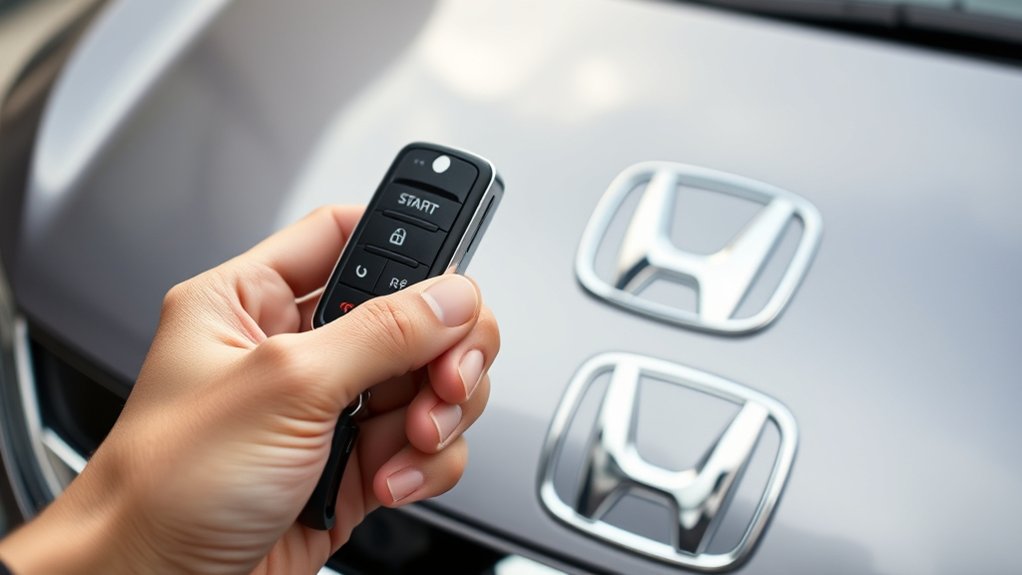
Using your key fob, press the lock button once, then immediately hold the remote start button for 2 seconds until the engine starts.
Alternatively, download the HondaLink app, link your vehicle with the VIN, and select “Start Engine.”
Ensure the remote’s battery is good and the signal is clear.
Follow recommended safety steps for reliable operation.
Keep exploring to master setup, troubleshooting, and optimal use.
Key Takeaways
- Confirm your Honda model supports remote start, typically available on models from 2017 onward or via HondaLink app compatibility.
- To remote start using the key fob, press lock once, then press and hold the remote start button for 2 seconds until the engine starts.
- Use the HondaLink app by linking your vehicle with VIN, then select “Start Engine” under Remote Access for remote ignition.
- Ensure remote start usage follows safety guidelines: clear exhaust obstructions, maintain signal range, and lock the vehicle after starting.
- Avoid DIY kits; use authorized dealerships or professional installers to maintain warranty and ensure proper remote start functionality.
Does Your Honda Support Remote Start?
How can you determine if your Honda supports remote start? First, consult your owner’s manual or check the vehicle’s specifications on Honda’s official website. Most models from 2017 onward include factory remote start capabilities, but this varies.
Check your owner’s manual or Honda’s website to see if your model, especially from 2017 onward, supports remote start.
You can also use remote diagnostics tools available at authorized dealerships to verify compatibility quickly. These tools scan your vehicle’s computer system to confirm if the remote start feature is enabled.
If your Honda lacks factory support, you might consider aftermarket labor for installation. Professional installers use compatible modules to integrate remote start without compromising vehicle security or warranty.
Avoid DIY kits unless you have technical expertise, as improper installation could cause electrical issues or void warranties. Confirming support upfront saves time and ensures a seamless remote start experience.
Setting Up Your Honda Key Fob for Remote Start
Several Honda models require specific steps to activate the remote start feature on your key fob. To set it up, first verify your vehicle supports remote start and that the feature is enabled in your system settings.
Be aware of common remote start myths, like needing to press the lock button multiple times, which often stem from key fob quirks unique to Honda models.
Follow this simplified sequence to activate remote start:
| Step | Action |
|---|---|
| 1 | Press the lock button once |
| 2 | Immediately press and hold the remote start button for 2 seconds |
| 3 | Wait for vehicle lights to flash |
| 4 | Vehicle engine starts remotely |
Ensuring you follow these steps precisely avoids confusion caused by key fob quirks and dispels remote start myths.
How to Use the HondaLink App for Remote Start
Once you’ve set up your key fob for remote start, you can also control your Honda remotely using the HondaLink app. First, download and install the HondaLink app on your smartphone, then create an account or log in.
Link your vehicle by entering the VIN and verifying ownership. To activate remote start, open the app’s Remote Access section and select “Start Engine.” The app communicates securely with your vehicle, enabling remote engine ignition within a specified range.
Note that weather impact may affect signal strength and response time. Extreme cold or heat can influence battery performance and connectivity. Always ensure your vehicle is in a safe, stationary position before using remote start through HondaLink to avoid operational issues or safety hazards.
How to Remote Start Your Honda: Step-by-Step Guide
Wondering how to start your Honda remotely with ease? Follow these precise steps to avoid remote start myths and minimize vehicle battery topics. First, ensure your vehicle supports remote start and the key fob or HondaLink app is functional.
Press the lock button on your key fob twice or use the remote start function in the app. The engine will start, and the vehicle will run for a preset time before shutting off automatically.
| Step | Action |
|---|---|
| 1. Verify compatibility | Confirm remote start support |
| 2. Use key fob/app | Press lock twice or app start |
| 3. Confirm engine start | Check vehicle signals |
This method ensures a reliable, safe remote start without draining your battery.
Tips for Using Remote Start Safely in Any Weather
How can you ensure your Honda’s remote start operates safely regardless of the weather conditions? First, always verify that your vehicle is in a well-ventilated area to prevent carbon monoxide buildup, especially in enclosed spaces during cold weather. Avoid activating remote start if snow or ice obstructs exhaust pipes.
Regular remote maintenance, including battery checks and ensuring sensor functionality, prevents malfunctions in extreme temperatures. Additionally, stay informed about local legal considerations, as some jurisdictions restrict idling times or remote start usage. Always lock your vehicle after remote start to maintain security.
Troubleshooting Common Remote Start Problems
If your Honda’s remote start isn’t working, first check the signal range to ensure you’re within the required distance. Next, inspect the remote’s battery and wiring connections for any signs of wear or damage. Addressing these common issues often restores proper remote start functionality quickly.
Signal Range Issues
Why does your Honda’s remote start sometimes fail to activate from a distance? The primary cause is often signal interference disrupting communication between the key fob and the vehicle. Objects like buildings, metal structures, or other electronic devices can block or weaken the remote’s signal.
To address this, first ensure you’re operating within the manufacturer’s recommended range. If you consistently face issues, consider installing a range extender designed for your Honda model. A range extender amplifies the remote’s signal, improving reliability over longer distances and through obstacles.
Avoid using aftermarket extenders not specifically compatible, as they can worsen interference. Regularly check for environmental factors causing signal disruption. By minimizing interference and enhancing signal strength with a proper range extender, you’ll troubleshoot and fix most remote start range issues efficiently.
Battery and Wiring Problems
Signal interference isn’t the only factor that can prevent your Honda’s remote start from working properly; battery and wiring problems often play a significant role as well. First, check the remote’s battery. An empty battery will disable the signal transmission. Replace it with a fresh one if necessary.
Next, inspect the wiring connected to the remote start system. Faulty wiring, such as loose connections or frayed wires, can interrupt power flow or signal communication. Use a multimeter to test continuity and voltage across the wiring harness. Secure all connectors and repair or replace damaged wires promptly.
Addressing these issues ensures your Honda’s remote start system receives the necessary power and signal integrity to function reliably every time you use it.
How Remote Start Impacts Your Honda’s Battery and Security
How does using remote start affect your Honda’s battery life and security systems? Remote start draws additional power from your battery, which can impact battery health if used excessively or when the battery is already weak.
To maintain optimal battery health, use remote start sparingly and ensure your battery is in good condition.
Regarding security, remote start systems introduce potential security risks if not properly integrated. Your Honda’s security system must remain active to prevent unauthorized access during remote start.
Verify that the remote start is compatible with your vehicle’s factory security features to avoid disabling immobilizers or alarms. Always follow manufacturer guidelines to balance convenience with your Honda’s battery longevity and security integrity.
Best Accessories to Enhance Your Honda’s Remote Start Experience
Maintaining your Honda’s battery health and security sets the foundation for a reliable remote start experience. To enhance this system, consider integrating accessories tailored to optimize both performance and comfort.
Start with a high-capacity battery monitor to track power usage and prevent drive train strain during extended remote starts. Upgrading to a smart key fob with extended range ensures consistent remote connectivity, reducing start failures.
Inside, install programmable climate control modules compatible with your Honda’s interior features to pre-condition the cabin efficiently. Additionally, adding a security system with immobilizer integration safeguards the drive train against unauthorized starts.
Frequently Asked Questions
Can Remote Start Void My Honda’s Warranty?
You won’t void your Honda’s warranty if your remote start system complies with remote start legality and is installed professionally.
Warranty coverage remains intact as long as the remote start doesn’t cause damage or interfere with your vehicle’s systems.
Is Remote Start Available on All Honda Models Worldwide?
No, remote start isn’t available on all Honda models worldwide. You’ll find regional availability varies, and some non compatible models lack this feature due to market-specific regulations or hardware limitations.
Check your model’s specs carefully.
How Does Remote Start Affect My Honda’s Fuel Efficiency?
Remote start fuel economy impact is minimal if you limit idling time. Engine warming benefits improve efficiency by reducing cold-start emissions, but excessive remote start use can decrease fuel economy.
Use it strategically for optimal performance.
Can I Use Remote Start With Aftermarket Key Fobs?
You can use remote start with aftermarket fobs only if they’re compatible. Verify compatibility questions with your Honda model and aftermarket fobs manufacturer.
Improper matches may disable remote start functionality or cause security issues. Always confirm first.
Are There Legal Restrictions on Using Remote Start in My Area?
Yes, you must remote prove local legal limits before using remote start. Regulations vary by area, often restricting idling time or use near schools.
Check municipal codes or DMV guidelines to stay compliant and avoid penalties.
Conclusion
Remote starting your Honda can save you time and increase comfort, especially since over 60% of modern Hondas support factory-installed remote start systems. By following the proper setup and usage steps, you ensure optimal performance and security.
Remember to monitor your battery health and use remote start responsibly in various weather conditions. With the right accessories, you can enhance convenience while maintaining your vehicle’s integrity and safety.
Mastering how to remote start Honda vehicles not only adds convenience but also helps you enjoy a comfortable ride from the moment you get in.