How to Use Cen Tech Battery Charger
To use your Cen Tech battery charger, first inspect and clean the battery terminals to ensure solid connections. This step is crucial for effective charging and safety.
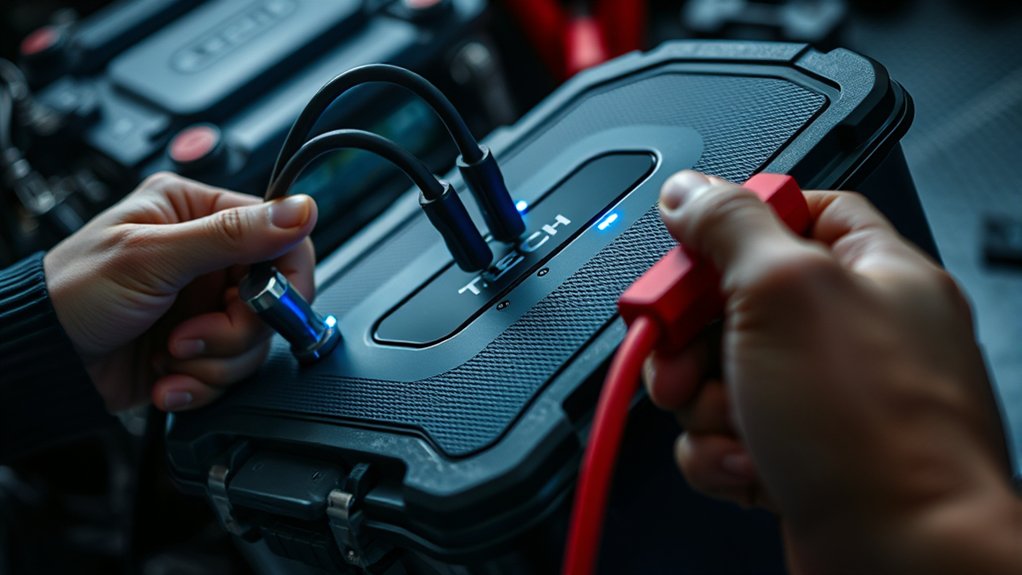
Place the charger on a stable, non-flammable surface. Then, connect the positive clamp to the positive terminal, followed by the negative clamp.
Match the charger settings to your battery’s chemistry and voltage. Plug in the charger and watch the LED indicators: red means charging, green means full charge and float mode.
Always disconnect by turning off the charger first. Following proper procedures maximizes battery health and safety—learn how to optimize every step next.
What Is a Cen Tech Battery Charger and Why Use It?
What exactly is a Cen Tech battery charger, and why should you consider using one? Cen Tech chargers are reliable devices designed for efficient battery maintenance, compatible with various battery types. They provide regulated current flow, protecting your battery from overcharging and damage.
When using one, you’ll appreciate detailed cleanup tips in the manual that help maintain the charger’s performance and extend its lifespan. Additionally, Cen Tech offers clear warranty terms that protect your investment against manufacturing defects, ensuring peace of mind.
This charger’s precise voltage control and safety features make it a technical choice for anyone serious about battery care. By choosing Cen Tech, you prioritize battery longevity and operational safety without sacrificing convenience or reliability.
How to Prepare Your Battery for Charging
Before charging, carefully inspect your battery for any cracks, leaks, or corrosion that could affect performance or safety. Use a wire brush or battery terminal cleaner to remove dirt and corrosion from the battery terminals, ensuring a solid electrical connection. Properly preparing your battery this way maximizes charging efficiency and prevents potential damage.
Inspect Battery Condition
How can you ensure your battery is ready for efficient charging? Begin by performing a thorough diagnostic routine. First, visually inspect the battery casing for cracks, bulges, or leaks, as these signs indicate damage that could compromise safety and performance.
Next, use a multimeter to measure the battery voltage; a healthy 12-volt battery should read around 12.6 volts at rest. Proceed with comprehensive battery testing using a load tester or a specialized battery analyzer to assess its capacity and internal resistance.
These steps help identify issues like sulfation or cell imbalance that can hinder charging efficiency. By completing this diagnostic routine, you confirm the battery’s condition and avoid charging a defective unit, ensuring both safety and optimal charger performance.
Clean Battery Terminals
Why does cleaning battery terminals matter for charging? Clean terminals ensure optimal electrical conductivity between the charger and the battery. Battery corrosion, often appearing as white or bluish powdery deposits, impedes current flow and causes inefficient charging.
Before connecting your Cen Tech battery charger, inspect the terminals closely. Use a wire brush or terminal cleaner to remove corrosion thoroughly. If corrosion is heavy, apply a baking soda and water solution to neutralize acid residues, then rinse and dry completely.
Avoid damaging the terminal posts during cleaning. Once clean terminals are free of debris and corrosion, you’ll achieve a secure connection, allowing the charger to deliver consistent voltage and current. Properly cleaned terminals prevent charging errors and prolong battery life, making this step critical for effective battery maintenance.
How to Set Up Your Cen Tech Charger Safely
Place your Cen Tech charger on a stable, non-flammable surface away from moisture and direct sunlight. Connect the positive clamp to the battery’s positive terminal first, then attach the negative clamp to the negative terminal or a grounded metal surface. Ensuring correct placement and connection prevents sparks and protects both you and your equipment.
Charger Placement Guidelines
Where you position your Cen Tech battery charger directly impacts both its performance and safety. Place the charger on a stable, non-flammable surface in a well-ventilated area to prevent heat buildup, which can degrade battery chemistry and reduce efficiency.
Avoid enclosed spaces or direct sunlight, as temperature extremes may trigger inaccurate charging cycles or damage internal components. Contrary to common charging myths, proximity to the battery does not affect charging speed, but improper placement can cause overheating or short circuits.
Keep the charger away from moisture, dust, and combustible materials. Ensure the ventilation slots remain unobstructed to allow effective heat dissipation. Following these precise placement guidelines optimizes your charger’s lifespan and ensures safe operation during every charging session.
Connecting Battery Correctly
How do you guarantee a secure and efficient connection between your Cen Tech charger and the battery? First, verify charger compatibility by confirming the charger’s voltage and amperage ratings match your battery’s specifications.
Next, ensure both the charger and battery terminals are clean and free from corrosion to maintain optimal conductivity. Connect the positive (red) clamp to the battery’s positive terminal and the negative (black) clamp to the negative terminal, avoiding any contact between clamps to prevent sparks.
Always connect the charger to the battery before plugging it into the power source to uphold battery safety and reduce risk of electrical hazards. Finally, double-check all connections are tight and secure to ensure stable charging and prevent accidental disconnections during the charging process.
Connecting Your Cen Tech Charger to Car, Motorcycle, and Other Batteries
When connecting your Cen Tech charger to a car, motorcycle, or other battery types, you’ll need to identify the battery terminals correctly to guarantee a safe and effective charge. Start by locating the positive terminal, usually marked with a plus (+) sign or red color, and the negative terminal, marked with a minus (–) sign or black color.
Attach the charger’s positive clamp to the positive terminal and the negative clamp to the negative terminal. Ensuring charger compatibility with your battery type, such as lead-acid or AGM, is critical for battery safety and optimal performance. Avoid reversing polarity, as it can damage the battery and charger.
Always connect the charger to the battery before plugging it into a power source to prevent sparks or electrical hazards.
Choosing the Correct Charging Mode on Your Cen Tech Charger
Why does selecting the correct charging mode matter for your Cen Tech charger? The charging mode determines the voltage, current, and charging profile suited for your specific battery type, whether lead-acid, AGM, or gel. Choosing the wrong mode can cause overcharging, overheating, or insufficient charging, compromising battery life and safety.
To select the correct charging mode, first identify your battery’s specifications, then use the charger’s interface to toggle between modes, ensuring compatibility.
Adhering to safety measures is essential; incorrect mode selection may trigger thermal runaway or battery damage. Always double-check the mode before initiating the charge and never override safety prompts.
Monitoring Your Cen Tech Charger and Understanding Its Indicators
What do the various lights and symbols on your Cen Tech charger indicate during operation? Monitoring indicators provide real-time feedback on charger status, ensuring safe and efficient battery charging.
Typically, a green LED signals that the charger is powered but not actively charging. When the charger connects to a battery, a red LED illuminates, indicating active charging. Some models feature flashing patterns to denote specific conditions such as a faulty connection or a deeply discharged battery.
Additionally, icons may display polarity warnings if clamps are reversed, preventing damage. By closely monitoring these indicators, you can quickly identify charging phases or errors, allowing you to take corrective action promptly. Understanding these signals helps you optimize your charger’s performance and maintain battery health effectively.
How Do You Know When Your Battery Is Fully Charged?
You’ll frequently rely on specific indicators to determine when your battery has reached full charge. The Cen Tech charger uses LED signals and voltage readings to inform you precisely. Monitoring these indicators ensures charging safety and supports optimal battery maintenance.
| Indicator | Meaning |
|---|---|
| Green LED steady | Battery fully charged |
| Voltage plateau | Voltage stabilizes near max |
| Charger switches to float mode | Maintains charge without overcharging |
When the green LED stays steady, it confirms full charge. Voltage plateaus signal the battery reached its capacity. The charger then shifts to float mode, preventing overcharge and preserving battery health. Trusting these signs helps you avoid under or overcharging, enhancing battery longevity and ensuring safe operation throughout the charging cycle.
Safely Disconnect Your Cen Tech Charger
Once the Cen Tech charger indicates a full charge through its LED signals and voltage stabilization, it’s important to disconnect the charger properly to avoid damaging the battery or the device. First, turn off the charger and then unplug it from the power source.
Next, carefully remove the clamps from the battery terminals. Always detach the negative (black) clamp first to minimize the risk of sparks.
After disconnection, inspect the battery terminals for any signs of battery corrosion. Use cleaning brushes specifically designed for battery maintenance to remove buildup, ensuring optimal electrical contact for future use.
Properly storing the charger and cleaning brushes afterward prevents dirt accumulation and prolongs tool life. Following these steps helps maintain battery health and charger performance over time.
Fix Common Problems When Charging and Tips to Extend Battery Life
Why does your Cen Tech battery charger sometimes fail to deliver a full charge? It often results from incorrect battery chemistry selection or poor connection. Ensure you match the charger settings to your battery’s chemistry, such as lead-acid or lithium-ion, to prevent undercharging or damage.
Incorrect battery chemistry settings or poor connections often cause Cen Tech chargers to undercharge batteries.
Before handling batteries, always wear safety gloves to protect against acid leaks or short circuits. Check for corroded terminals and clean them thoroughly to ensure optimal contact.
If the charger’s indicator shows “charging” but the battery doesn’t improve, the battery may be sulfated or damaged beyond recovery. To extend battery life, avoid deep discharges and store batteries in a cool, dry place.
Using your Cen Tech charger correctly and maintaining battery health ensures reliable performance and longevity.
Frequently Asked Questions
Can the Cen Tech Charger Be Used for Lithium-Ion Batteries?
Think of your lithium-ion battery as a delicate flower; you can’t just water it any way you want. The Cen Tech charger isn’t designed for lithium-ion chemistry, so using it risks battery chemistry safety issues and potential damage.
What Is the Warranty Period for Cen Tech Battery Chargers?
You get a one-year warranty coverage with Cen Tech battery chargers, ensuring product reliability against defects. This warranty protects your investment by covering repairs or replacements, reflecting the manufacturer’s confidence in durability and consistent performance.
How Long Does the Cen Tech Charger Typically Last?
You won’t need a crystal ball. Cen Tech charger durability typically lasts several years with proper use. Its advanced charging safety features prevent damage, ensuring consistent performance and long-term reliability, so you can trust it every time.
Are Replacement Cables Available for Cen Tech Chargers?
Yes, you can find replacement cables for Cen Tech chargers through authorized dealers or online stores.
You should also consider purchasing extra adapters to ensure compatibility with various battery types and maintain optimal charging performance.
Can the Charger Operate in Extreme Weather Conditions?
You can’t operate the Cen Tech charger in extreme weather without risking damage. For ideal battery care, use it within recommended temperature ranges to prevent overheating or freezing.
This ensures consistent performance and prolongs battery lifespan.