Can I Add Backup Camera to Inside Pf Car
Yes, you can add a backup camera inside your car by carefully choosing a compact, low-profile camera that suits the interior.
Adding a backup camera inside your car improves rear visibility and safety.
Mount it near the top center of the rear window with strong adhesive or a glass bracket, ensuring the lens faces directly backward without obstruction.
Power it by tapping into the reverse light circuit and route wiring discreetly along trim to avoid interference.
Proper installation enhances durability and signal quality.
Exploring installation and troubleshooting tips will help you achieve the best setup.
Key Takeaways
- Inside installation of a backup camera is possible with careful planning and selecting an optimal rear interior mounting location.
- Ensure the camera has a clear, unobstructed rear view and is securely mounted near the top center of the rear windshield.
- Power the camera using the reverse light circuit or a dedicated 12V source, verifying voltage and polarity with a multimeter.
- Connect the camera to a compatible in-cabin display via wired or wireless methods, considering signal interference and secure wiring.
- Use compact, low-profile cameras that complement interior aesthetics and route wiring discreetly to avoid interference and damage.
Can You Add a Backup Camera Inside Your Car?
How feasible is it to add a backup camera inside your car? Technically, inside installation is possible but involves careful planning. You’ll need to identify an optimal mounting location on the rear interior, ensuring the camera has an unobstructed view outside.
Power options typically include tapping into your vehicle’s reverse light circuit or using a dedicated 12V source, providing the camera with power only when the car is in reverse. Wiring must be routed discreetly, avoiding interference with existing systems.
You’ll also need to consider a compatible display inside the cabin, connected via wired or wireless means. While more complex than exterior setups, inside installation offers protection from weather and tampering, making it a viable option if executed with precise wiring and secure mounting.
Choosing the Right Backup Camera for Your Car Interior
Once you’ve decided to install a backup camera inside your car, selecting the right model becomes a key step. You’ll want a camera that complements your interior aesthetics, blending seamlessly without disrupting the vehicle’s design. Compact, low-profile cameras with sleek finishes often work best.
Also, consider the field of view and resolution to ensure clear rear visibility. Pay attention to mounting challenges: some cameras require flat surfaces, while others need specific angles for optimal performance.
Wireless models reduce wiring complexity but may face signal interference. Choose one with reliable connectivity and compatibility with your car’s display system. Balancing these factors ensures your backup camera enhances safety without compromising your car’s interior look or creating installation difficulties.
How to Mount a Backup Camera Inside Your Car
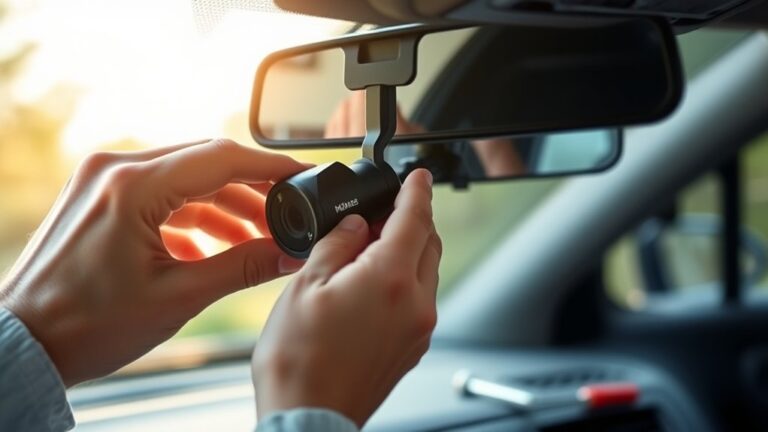
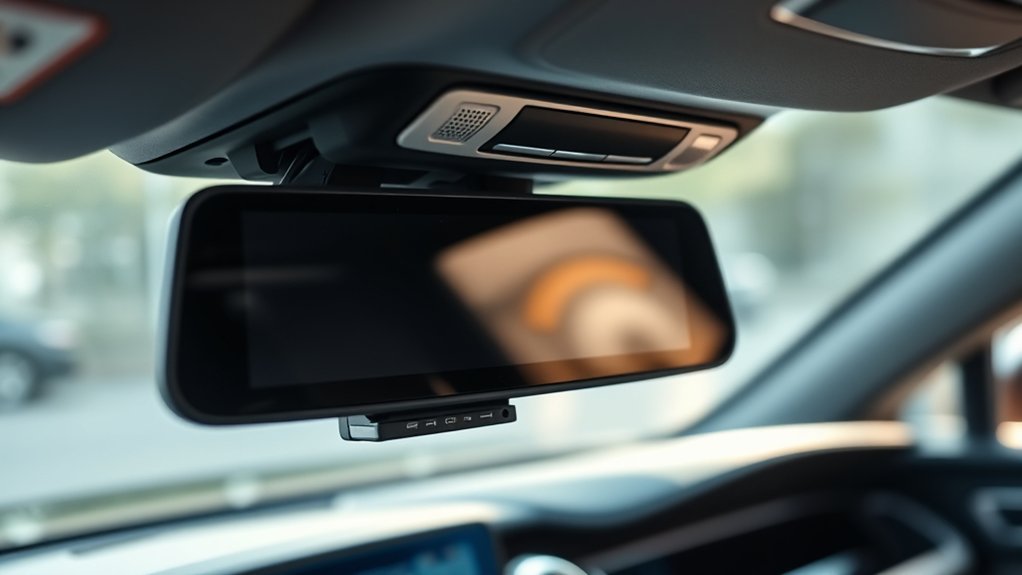
Where exactly should you position the backup camera inside your car for optimal performance? Focus on interior placement that offers a clear rear view without obstruction. Typically, mounting the backup camera near the top center of the rear windshield ensures an unobstructed field of vision.
Use strong adhesive mounts or brackets designed for automotive glass to secure the camera firmly. Make sure the lens faces directly backward, aligned horizontally to minimize distortion. Avoid placing the camera where sunlight glare or interior reflections can degrade image quality.
Also, ensure the wiring routes discreetly along existing trim to protect connections and maintain a clean look. Proper interior placement maximizes the camera’s effectiveness, providing accurate rear visibility while maintaining your car’s aesthetics.
Connecting and Powering Your Interior Backup Camera
When connecting and powering your interior backup camera, you’ll need to identify a reliable power source and establish secure wiring routes. Start by tapping into the vehicle’s reverse light circuit to ensure the interior camera only activates when backing up. Use a multimeter to confirm voltage and polarity before connecting.
For power routing, run wires discreetly along existing harnesses, panels, or under trim to avoid interference or damage. Secure all connections with solder and heat shrink tubing for durability. Ground the camera to a clean metal surface to prevent electrical noise.
Finally, connect the video output to your display unit, routing the signal cable separately from power lines to minimize interference. This systematic approach guarantees consistent power and stable operation of your interior camera.
Troubleshooting Backup Camera Installation Issues
Why isn’t your backup camera working as expected? When installing interior cam systems, power and wiring issues are the most common culprits. First, ensure the camera receives consistent 12V power from a reliable source, like the reverse light circuit.
Power and wiring problems often cause backup camera issues; start by verifying a steady 12V power source from the reverse light circuit.
Check all wiring connections for corrosion, loose terminals, or pinched cables, especially at entry points and connectors. Use a multimeter to verify voltage continuity along the power and ground wires.
If the camera image is intermittent or absent, inspect the video signal cable for damage or improper routing that can cause interference. Additionally, confirm that the camera’s ground is securely attached to the chassis.
Addressing these key power and wiring points will resolve most installation issues, ensuring your interior backup cam functions properly.
Frequently Asked Questions
Will Adding a Backup Camera Affect My Car’s Warranty?
Adding a backup camera typically won’t void your warranty if installed professionally and complies with backup camera legality. However, unauthorized modifications may cause warranty implications.
Check manufacturer guidelines and local laws before proceeding to avoid issues.
Can a Backup Camera Improve My Car’s Resale Value?
Yes, adding a backup camera can improve your car’s resale value by enhancing safety features, but ensure the installation doesn’t void your warranty. Properly integrated systems minimize warranty impact and increase buyer appeal, boosting backup resale potential.
Are Backup Cameras Legal in All States?
Backup cameras are legal in all states. Imagine a world where reversing was outlawed! You should check backup legality specifics and guarantee installation won’t void your warranty.
Precision matters: install properly to avoid technical or warranty headaches.
How Much Does an Interior Backup Camera Installation Typically Cost?
You’ll typically spend $150 to $300 for an interior backup camera installation, considering interior wiring complexity and power requirements.
Costs vary with camera quality, monitor type, and labor, so plan accordingly for a professional, reliable setup.
Can I Use a Wireless Backup Camera Inside My Car?
You can’t judge a book by its cover. Yes, you can use a wireless backup camera with an inside display, but watch for wireless interference inside your car. This may disrupt the video signal and affect performance.
Conclusion
Adding a backup camera inside your car is like giving yourself an extra set of eyes, enhancing safety and convenience. By choosing the right camera, mounting it securely, and connecting it properly, you transform your vehicle into a smarter machine.
Keep troubleshooting tools handy—think of them as your safety net. With precise installation and attention to detail, you’ll navigate tight spots confidently, turning every reverse into a smooth, worry-free maneuver.
In conclusion, you can definitely add a backup camera to inside pf car to improve your driving experience and increase safety on the road.