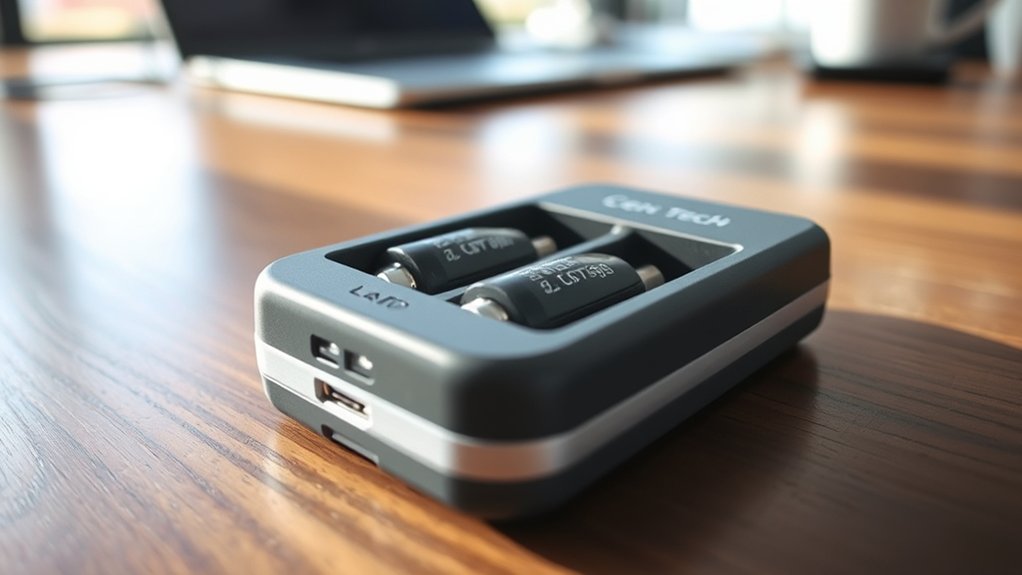
How to Use Cen Tech Battery Charger
To use your Cen Tech battery charger, start by wearing appropriate safety gear and inspecting both the charger and the battery terminals for any damage or corrosion.
Next, connect the red clamp to the positive terminal of the battery. Then, attach the black clamp to the negative terminal or a grounded metal surface, ensuring the clamps do not touch each other to prevent sparks.
Select the correct charging mode based on your battery type, such as lead-acid or AGM. Monitor the charger carefully during the process to avoid overcharging, and disconnect it once the battery is fully charged.
Following these steps guarantees safe and efficient charging. You can also explore more tips for maintenance and troubleshooting to extend your battery’s life.
Key Takeaways
- Prepare safety gear, inspect charger and cables, and clean battery terminals before use.
- Unplug charger while setting up and confirm compatibility with the battery type.
- Connect the red clamp to the positive terminal first, then attach the black clamp to the negative terminal or grounded metal.
- Select the appropriate charging mode based on battery chemistry: lead-acid, AGM, or lithium-ion.
- Monitor charging progress, watch for unusual signs, and disconnect promptly when fully charged.
Preparing to Use the Cen Tech Battery Charger
Before you start charging, how do you prepare your Cen Tech battery charger for safe and effective use? First, gather all necessary prepping tools, including gloves, safety glasses, and a clean cloth.
Inspect the charger and cables for any damage or corrosion. Make sure the battery terminals are clean and free of debris to ensure a good connection. Always work in a well-ventilated area to avoid harmful fumes.
Adopt a safety mindset by reviewing the charger’s manual and understanding the specific settings for your battery type. Double-check that the charger is unplugged while you prepare everything.
Taking these steps helps prevent accidents and ensures your charging process runs smoothly and effectively. With proper preparation, you’re set for safe, reliable battery charging.
How to Connect the Cen Tech Battery Charger Safely
With your Cen Tech battery charger prepared and safety measures in place, you can focus on connecting the charger correctly. To ensure a safe setup and avoid sparks, follow these steps carefully. First, connect the positive (red) clamp to the positive battery terminal.
Prepare your Cen Tech charger and connect the positive clamp first to ensure a safe, spark-free setup.
Next, attach the negative (black) clamp to the negative terminal or a grounded metal surface away from the battery. Make sure the clamps are secure and do not touch each other. Finally, double-check all connections before plugging in the charger.
- Confirm the charger is unplugged before connecting clamps
- Attach positive clamp first, then negative clamp
- Avoid contact between clamps to prevent sparks
- Secure clamps firmly to battery terminals or grounded metal
Following these steps will keep your setup safe and spark-free.
How to Charge Different Battery Types With the Cen Tech Charger
How do you guarantee your Cen Tech battery charger works effectively with different battery types? First, identify the battery chemistry: lead-acid, AGM, or lithium-ion. The charger adjusts to meet specific charging standards. Selecting the correct mode ensures safety and optimal charging performance.
Here’s a quick guide for charging different battery types:
| Battery Type | Charging Mode | Charging Standards |
|---|---|---|
| Lead-Acid | Standard Charge | Constant Current/Voltage |
| AGM | AGM Mode | Controlled Voltage |
| Lithium-Ion | Lithium Mode | Precise Voltage & Current |
Always choose the mode matching your battery type. Following these steps helps you efficiently charge various batteries while adhering to proper charging standards.
How to Monitor Charging and Avoid Overcharging
Choosing the correct charging mode sets the foundation for safe battery maintenance, but you still need to keep an eye on the charging process itself. Properly monitoring the charge helps you avoid overcharge, which can damage your battery or reduce its lifespan. Here’s how you can stay on top of it:
Regularly check the charger’s display for voltage and current readings. Listen for any unusual sounds or smells that might indicate overheating.
Use the automatic shutoff or float mode features if your Cen Tech charger supports them. Disconnect the charger promptly once the battery reaches full charge.
Troubleshooting Common Issues With the Cen Tech Battery Charger
Why isn’t your Cen Tech battery charger working as expected? First, check the basics: ensure the connections are secure and the power source is active. Don’t fall for common troubleshooting myths like assuming a dead battery means a faulty charger.
Often, the battery itself might be the issue. Also, verify that you’re using the charger with compatible batteries. If the charger won’t start or stops mid-cycle, try resetting it by unplugging and reconnecting.
Charger reliability can sometimes be affected by environmental factors, so avoid extreme temperatures. If problems persist, consult the manual or contact support before assuming the unit is defective. Following these steps helps you identify real issues quickly and avoid unnecessary frustration.
How to Maintain Your Cen Tech Battery Charger and Batteries
Regularly maintaining your Cen Tech battery charger and the batteries themselves guarantees optimal performance and extends their lifespan. To ensure battery safety and efficient charger maintenance, follow these key steps:
Clean the charger terminals with a dry cloth to prevent corrosion. Store batteries in a cool, dry place to avoid damage and leakage.
Inspect cables and connectors regularly for wear or damage. Avoid overcharging by unplugging the charger once batteries are fully charged.
Frequently Asked Questions
Can the Cen Tech Charger Be Used Outdoors in Rainy Conditions?
You shouldn’t use the Cen Tech charger outdoors in rainy conditions. To ensure outdoor safety, avoid rain exposure since moisture can damage the charger and cause electrical hazards.
Always keep it dry and protected during use.
What Is the Warranty Period for the Cen Tech Battery Charger?
You get a limited warranty coverage of one year for the Cen Tech battery charger. Keep in mind, its outdoor suitability is limited; avoid using it in rainy conditions to maintain warranty validity and assure safe operation.
Does the Charger Have a Built-In Memory to Resume Charging?
No, the charger doesn’t have a built-in memory to resume charging automatically. You’ll need to restart it manually if interrupted.
It’s designed mainly for indoor use, so avoid outdoor use to protect its functionality.
Can the Cen Tech Charger Charge Lithium-Ion Batteries?
You can’t use the Cen Tech charger for lithium-ion batteries; it lacks lithium compatibility. Instead, it’s designed for lead-acid types.
For outdoor use, ensure you pick a charger specifically rated for lithium-ion and weather resistance.
Is the Charger Compatible With 12V and 24V Battery Systems?
Yes, the Cen Tech charger offers both 12V compatibility and 24V compatibility, so you can confidently charge batteries in either system.
Just select the correct voltage setting before starting to guarantee safe, efficient charging.
Conclusion
Using your Cen Tech battery charger is like having a trusted co-pilot on a long journey—guiding you safely and efficiently. By preparing properly, connecting carefully, and choosing the right settings, you set yourself up for success. Monitoring the charging process helps ensure everything runs smoothly.
You’ll keep your batteries healthy and ready when you follow these steps. Remember, just as a ship needs regular maintenance to sail smoothly, your charger and batteries do too.
By following these guidelines, you’ll navigate every charge with confidence and ease using your Cen Tech battery charger.