How to Start Honda Accord With Dead Key Fob
If your Honda Accord key fob is dead, you can still start your car using a simple method. Hold the fob close to the push-button start sensor, which is usually located near the steering column or the start button itself.
Press the brake pedal firmly, then press the start button while keeping the fob in contact with the sensor. This allows the vehicle’s system to detect the RFID signal inside the fob, even without battery power.
Following these steps ensures you won’t be stranded with a dead key fob. For more details on troubleshooting and backup methods, it’s helpful to prepare in advance.
Key Takeaways
- Hold the dead key fob close to the push-button start sensor, usually near the steering column or start button.
- Press the brake pedal firmly before attempting to start the vehicle.
- Keep the key fob in contact with the sensor while pressing the push-button start to enable ignition.
- The vehicle will recognize the RFID signal from the dead fob, allowing the engine to start without battery power.
- After the engine starts, verify essential checks like tire pressure and fuel level for safe driving.
How to Use the Hidden Physical Key in Your Honda Accord
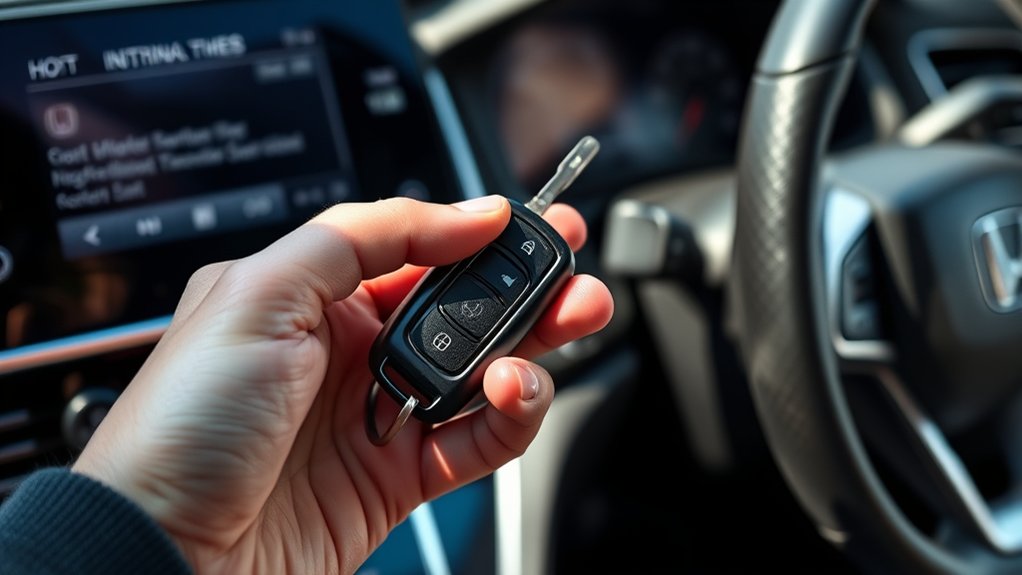
How do you access the hidden physical key in your Honda Accord when the key fob battery dies? First, locate the release button on the back of your key fob. Press and hold this button while sliding the physical key out from the fob housing.
This key is specifically designed for emergency situations, so understanding this process is essential. Avoid engaging in irrelevant topic or off topic discussion about other keyless entry methods; focus solely on the physical key extraction.
Once removed, you can manually unlock the driver’s door by inserting the physical key into the door lock cylinder. This method bypasses electronic failures, ensuring access to your vehicle even when the key fob is dead.
How to Start Your Honda Accord With a Dead Key Fob Using Push-Button Start
When your Honda Accord’s key fob battery dies, starting the engine with the push-button start might seem challenging, but the vehicle has a built-in backup system to handle this scenario. To start, hold the dead key fob close to the push-button start sensor, typically located on the steering column or near the button itself.
Press the brake pedal firmly, then press the start button while keeping the key fob in place. The vehicle will recognize the fob’s RFID signal even without battery power, bypassing irreversible prompts designed to prevent unauthorized access.
Avoid distractions from unrelated topics like infotainment or climate controls during this process. This method ensures you start your Honda Accord reliably despite a dead key fob battery, maintaining system security and functionality without requiring immediate battery replacement.
Troubleshooting When Your Honda Won’t Recognize the Dead Key Fob
Why might your Honda fail to recognize a dead key fob despite following the standard starting procedure? Common causes include interference from nearby electronic devices disrupting the fob’s radio frequency signal. Ensure your key fob is close to the designated sensor area, typically near the steering column or push-button start.
Additionally, check for potential damage to the fob’s internal circuitry or antenna, which can impede communication. Electrical system issues within the vehicle, such as a faulty receiver module or blown fuse, may also prevent recognition.
In disaster preparedness and emergency communications planning, always have a backup method to access your vehicle, such as a physical key or alternative entry protocol. Understanding these troubleshooting steps helps you maintain control when your Honda won’t respond to a dead key fob signal.
Replacing or Recharging Your Honda Key Fob Battery
To replace your Honda key fob battery, first carefully open the fob casing using a small screwdriver or coin to avoid damage. If your key fob supports charging, connect it to the appropriate charger following the manufacturer’s guidelines to restore power efficiently. Proper battery maintenance ensures your key fob functions reliably and prevents starting issues.
Battery Replacement Steps
Wondering how to quickly restore your Honda key fob’s functionality? Start by locating the small release button on the back of the fob. Press it to separate the two halves carefully.
Inside, you’ll find a coin-cell battery, usually a CR2032. Remove the old battery with a non-metallic tool to avoid damage. Insert the new battery with the positive side facing upward, aligning it correctly.
Snap the fob halves back together securely. Avoid topic ideas unrelated to battery replacement. Focus solely on precise steps.
Test the fob by pressing any button to ensure the battery works. If it doesn’t respond, verify the battery orientation or try a fresh replacement. These steps will efficiently restore your Honda key fob’s power and functionality.
Key Fob Charging Tips
Several key fob models for Honda vehicles require periodic battery replacement rather than recharging, as their batteries are non-rechargeable coin cells. If your key fob isn’t responding, replacing the battery is often necessary.
However, some newer models may use rechargeable batteries, especially in alternative fuel vehicles, requiring specific charging methods. Proper car maintenance includes checking your key fob’s battery regularly to avoid lockout scenarios.
| Battery Type | Replacement Interval | Notes |
|---|---|---|
| Coin Cell (CR2032) | 1-2 years | Non-rechargeable, replace only |
| Rechargeable Lithium | As needed | Use manufacturer-approved charger |
| Alternative Fuel Models | Varies | May have specialized batteries |
Always follow manufacturer guidelines to maintain optimal fob function and avoid damage during battery service.
Preventing Dead Key Fob Emergencies
How can you avoid the inconvenience of a dead key fob when you need to start your Honda Accord? First, regularly monitor the battery status and replace it proactively before it dies.
Avoid letting irrelevant topic or random discussion distract you from routine maintenance tasks related to your key fob. Store the key fob away from electronic devices that emit strong radio signals to prevent interference.
Additionally, keep a spare battery or backup key fob accessible in case of emergencies. Use the key fob frequently to ensure its components remain functional, rather than leaving it idle for long periods.
When to Contact Honda Roadside Assistance for Key Fob Issues
When should you reach out to Honda Roadside Assistance for key fob problems? You should contact them only after confirming that the issue isn’t due to an irrelevant topic, such as a dead battery or stray concept like signal interference, which you can troubleshoot yourself.
Honda Roadside Assistance can provide specialized support when:
- Your key fob is completely unresponsive despite replacing the battery and attempting manual start procedures.
- You encounter system errors or immobilizer warnings that prevent the vehicle from recognizing the fob.
- You lose the key fob or it’s damaged beyond simple repair, requiring professional reprogramming or replacement.
In these cases, Honda Roadside Assistance is equipped with the technical tools and expertise to resolve key fob issues safely and efficiently.
Quick Tips to Avoid Getting Stranded With a Dead Key Fob
To prevent getting stranded with a dead key fob, always carry a spare key and regularly check your fob’s battery life. Keep a replacement battery on hand to guarantee uninterrupted functionality. Additionally, familiarize yourself with the Honda Accord’s emergency start procedure for quick access in critical situations.
Carry A Spare Key
Why risk being stranded when you can easily prevent it? Carrying a spare key is a straightforward solution that ensures you’re never locked out during an emergency start. Here’s why you should always have a spare key on hand:
- Immediate Access: A spare key allows you to bypass a dead key fob and start your Honda Accord without delay.
- Cost-Effective Backup: It eliminates the need for costly roadside assistance or towing services.
- Peace of Mind: Knowing you have a reliable backup reduces stress during unexpected key fob failures.
Store your spare key in a secure, accessible location like your wallet or a trusted family member’s possession to guarantee quick access. This simple precaution optimizes your readiness and prevents inconvenient delays when your key fob fails.
Use Key Fob Battery
How often do you check the battery life of your Honda Accord’s key fob? Understanding key fob basics helps you avoid the inconvenience of a dead battery.
The key fob operates on a small coin-cell battery, typically a CR2032, which powers its wireless functions. If the battery weakens, signal transmission to your car will fail, preventing remote locking, unlocking, and push-button start.
Regularly replace the battery every 1-2 years or when you notice reduced range or unresponsiveness. To replace it, carefully pry open the fob’s casing with a small screwdriver, remove the old battery, and insert a new one with correct polarity.
Keeping a fresh battery ensures your key fob functions reliably and prevents you from getting stranded due to a dead battery.
Know Emergency Start Procedure
What steps do you take when your Honda Accord’s key fob dies unexpectedly? Knowing the emergency start procedure is essential to avoid being stranded. Follow these steps precisely:
- Hold the dead key fob against the start button. The vehicle’s sensor can detect it through proximity, allowing you to start the engine.
- Press the brake pedal firmly, then push the start button while the fob is in contact, initiating ignition without the fob battery.
- Once started, check your tire pressure and fuel level immediately. Low tire pressure or insufficient emergency fuel can cause further delays or damage.
Mastering this procedure ensures you maintain control during emergencies, minimizing downtime and preventing safety risks related to dead key fobs.
Frequently Asked Questions
Can a Dead Key Fob Cause My Honda Accord to Lock Permanently?
A dead battery in your key fob won’t cause your Honda Accord to lock permanently. However, keyless entry might not work, so you’ll need to use the physical key to open and start your car manually.
How Long Does a Honda Key Fob Battery Typically Last?
Your Honda key fob’s battery lasts about 3 to 4 years, like a quiet guardian fading over time.
Regular battery replacement ensures key fob longevity, keeping your car’s electronic handshake smooth and reliable without interruption.
Are There Any Apps to Monitor Honda Key Fob Battery Health?
You won’t find dedicated apps for key fob battery health, but HondaLink and remote diagnostics offer useful battery status updates. These tools support proactive two word discussion idea1 and enhance two word discussion idea2 for your Accord’s key fob.
Can Water Damage Affect My Honda Key Fob Functionality?
It’s no coincidence that water resistance and battery life often link; water damage can compromise your Honda key fob’s circuitry, reducing battery life and functionality.
Is It Possible to Program a New Key Fob Myself?
Yes, you can program a new key fob yourself if the dead battery is replaced. Follow your Honda Accord’s key program procedure precisely, using the ignition and buttons to sync the new fob with your vehicle’s system.
Conclusion
By mastering the methods to manage a malfunctioning or dead key fob, you maintain mastery over your Honda Accord. Utilizing the hidden key, understanding push-button protocols, and troubleshooting swiftly saves stress and staves off stalling. Regularly replacing or recharging your remote’s battery prevents problematic pauses.
Preparing proactively, practicing procedures, and prioritizing prevention protects you from predicaments. When problems persist, promptly contacting Honda roadside assistance ensures seamless solutions and sustained safety on the streets.
Knowing how to start a Honda Accord with a dead key fob is essential for staying in control and avoiding unexpected delays.