
How to Read a Battery Charger
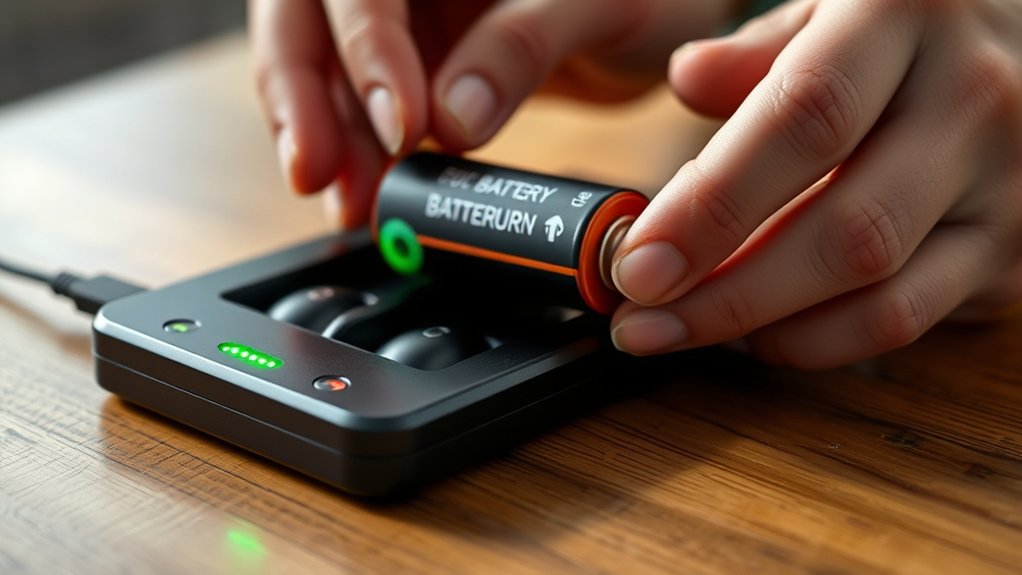
To read your battery charger effectively, start by watching its LED lights and display for real-time voltage, current, and charge status. Understanding how to read a battery charger involves recognizing icons like battery outlines for charge levels and plug symbols for power connection. Solid green usually means full charge, blinking red signals errors, and amber shows charging in progress.
Check display menus to match settings with your battery type and adjust modes accordingly. Recognizing warning alerts helps prevent damage or overheating. Keep exploring to master safety alerts, error codes, and troubleshooting tips.
Key Takeaways
- Check LED indicators: solid green means full charge, solid amber indicates active charging, blinking red signals errors.
- Read digital display for real-time voltage, current, and charging time to monitor battery status accurately.
- Identify icons showing battery type, charge phase, power connection, and temperature warnings on the screen or charger.
- Match charger settings to your battery’s chemistry and select appropriate charging mode for safety and efficiency.
- Recognize error codes, flashing LEDs, or beeps to halt charging and troubleshoot potential faults promptly.
How to Read a Battery Charger: The Basics
How do you quickly interpret the information displayed on a battery charger? First, focus on the key indicators that reflect charging status and voltage levels. Understanding these metrics guarantees you maintain battery safety by preventing overcharging or overheating.
You’ll notice LED lights or digital readouts showing real-time voltage and current flow, which help you monitor energy efficiency during the charging process. Accurately reading these values allows you to optimize charging duration and minimize energy waste.
Additionally, recognizing warnings or error alerts on the charger lets you react promptly to avoid potential hazards. By mastering these basics, you enhance both the lifespan of your batteries and overall operational safety, ensuring reliable performance without compromising energy consumption or risking damage.
Common Battery Charger Symbols and What They Mean
You’ll encounter specific symbols and LED indicators on your charger that communicate its status and functionality. Recognizing these icons helps you accurately interpret charging progress, errors, or battery health. Let’s analyze the most common symbols and what their signals mean.
Understanding Charger Iconography
A battery charger’s display icons provide essential information about the charging status and battery health. Understanding iconography on these devices helps you quickly assess operational conditions without confusion.
Common symbols include battery outlines showing charge levels, plug icons indicating power connection, and temperature warnings signaling potential overheating. Each icon’s shape, fill, or animation conveys specific data, enabling you to monitor the process accurately.
While interpreting LED lights is crucial, it focuses on color and blinking patterns, which you’ll explore separately. By mastering charger iconography, you ensure proper device use and prevent damage.
Paying close attention to these standardized symbols enhances your ability to troubleshoot and maintain battery longevity effectively.
Interpreting LED Indicator Lights
Alongside iconography, LED indicator lights play a vital role in communicating a battery charger’s operational status. When interpreting LED indicators, you must understand their color, blinking pattern, and position relative to charger iconography. Here’s how to decode them:
- Solid Green Light: Indicates a fully charged battery; charging is complete.
- Blinking Red Light: Signals a charging error or incompatible battery detected.
- Solid Amber/Orange Light: Shows active charging in progress.
- Blinking Green Light: Often means the charger is in a maintenance or trickle charge mode.
What LED Indicators on Your Battery Charger Tell You
How do LED indicators communicate the status of your battery charger? These small lights provide real-time feedback on charging progress, battery chemistry compatibility, and safety alerts. For instance, a green LED often signals a fully charged battery, while a red light indicates active charging.
Some chargers use specific colors or blinking patterns to denote battery chemistry types like NiMH, Li-ion, or lead-acid, ensuring the charger applies the correct voltage and current. Additionally, LEDs alert you to faults such as overheating, reverse polarity, or connection issues, critical for preventing damage.
How to Read Charger Display Screens and Menus
While LED indicators provide quick, at-a-glance information about your battery charger’s status, the display screens and menus offer a more detailed and customizable interface. When reading display screens, you’ll encounter real-time data like voltage, current, and charge time, along with symbols indicating charging modes or alerts. Interpreting symbols is essential for understanding charger feedback without confusion.
To effectively navigate and interpret these displays:
- Identify icons representing battery type, charge phase, and error conditions.
- Monitor numerical values for voltage and current to track charging progress.
- Use menu options to select or adjust settings based on your battery’s needs.
- Recognize warning symbols signaling issues such as overheating or connection faults.
Mastering this analytical approach ensures precise control and optimizes battery maintenance.
How to Match Battery Charger Settings to Your Battery Type
You need to identify your battery’s chemistry before selecting charger settings, as different types require specific charging profiles. Once you know the chemistry, adjust the charger output voltage and current accordingly to ensure safe and efficient charging. Incorrect settings can damage the battery or reduce its lifespan.
Identify Battery Chemistry
Several common battery chemistries require specific charging parameters to ensure safety and optimal performance. To identify your battery chemistry, follow these steps:
- Check the label: Manufacturers usually print battery chemistry types, such as Li-ion, NiMH, or Lead-Acid, on the battery casing.
- Consult the manual: Battery specifications in the user manual provide detailed chemistry information critical for charging safety.
- Match charger compatibility: Ensure your charger explicitly supports your battery’s chemistry to prevent damage or hazards.
- Observe voltage and current ratings: Different chemistries demand distinct voltage thresholds and current limits; verify these align with your charger’s specifications.
Understanding battery chemistry allows you to select the correct charger settings, maintaining charging safety and extending battery life efficiently. Never assume one charger fits all chemistries.
Adjust Charger Output
Identifying your battery’s chemistry sets the foundation for adjusting your charger’s output accurately. To optimize charging, you must adjust charger settings to ensure battery compatibility, preventing damage or reduced efficiency. Different chemistries require specific voltage and current parameters.
| Battery Type | Recommended Output Setting |
|---|---|
| Lead-Acid | 14.4V, 2A |
| NiMH | 1.4V per cell, 1A |
| Li-ion | 4.2V per cell, 1.5A |
Once you know your battery type, configure your charger’s voltage and current limits accordingly. This precise adjustment maximizes charge acceptance and prolongs battery life.
Avoid generic settings that mismatch chemistry specifications, as this compromises safety and performance. Always consult your battery’s datasheet for exact parameters before you adjust charger output.
How to Use Charging Modes: Fast, Trickle, and Maintenance
When should you choose between fast, trickle, and maintenance charging modes? Understanding these modes optimizes battery health and charging efficiency.
- Use fast charging when you need to quickly replenish a battery with sufficient capacity and good condition, but avoid it for deeply discharged or old batteries to prevent damage.
- Select trickle mode for slow, steady charging, ideal for small batteries or when you want to minimize heat generation and stress.
- Engage maintenance mode after a battery reaches full charge to keep it topped off without overcharging, extending overall battery life.
- Avoid mixing modes arbitrarily; always consult your battery’s specifications to choose the mode that matches its chemistry and state.
This analytical approach ensures optimal battery performance and longevity.
What Safety Alerts and Error Messages on Your Charger Mean
How do you interpret the safety alerts and error messages displayed on your battery charger? These indicators are essential for ensuring safe handling and preventing damage. When your charger shows error codes, it’s signaling specific issues, like reverse polarity, overvoltage, or temperature extremes that require immediate attention.
Each error code corresponds to a defined fault condition detailed in the user manual. Recognizing these codes allows you to halt charging promptly, preventing hazards such as battery leakage or fire. Safety alerts often appear as flashing LEDs or audible beeps, reinforcing the need for caution.
Troubleshooting Common Battery Charger Reading Issues
Why does your battery charger sometimes display inaccurate readings or fail to register the battery’s status correctly? Several technical factors can interfere with accurate diagnostics. To troubleshoot effectively, consider these key points:
- Verify the charger compatibility with the battery type; mismatched chemistry can cause erroneous readings.
- Inspect the battery terminals and charger clamps for corrosion or loose connections that disrupt communication.
- Ensure the charger firmware is updated; outdated software may misinterpret battery data.
- Confirm adherence to charging safety protocols, including ambient temperature limits, as extreme conditions affect sensor accuracy.
Addressing these factors systematically restores reliable charger readings, ensuring precise monitoring and optimal charging performance.
Frequently Asked Questions
Can I Use a Battery Charger for Different Battery Brands?
You can use different battery brands if your charger supports charger compatibility for those chemistries and sizes. However, using brand mismatches risks improper charging or damage, so always verify specifications before proceeding to guarantee safety and efficiency.
How Long Does It Take to Fully Charge a Typical Car Battery?
Charging time for a typical car battery usually takes 4 to 24 hours, depending on charger type, battery capacity, and condition. Different battery brands may affect efficiency, but how long charging takes mainly hinges on charger output and battery state.
Are Smart Chargers Compatible With All Battery Chemistries?
Smart chargers aren’t a one-size-fits-all key; they selectively fit battery chemistries like lithium, AGM, or lead-acid.
You’ll need to check compatibility carefully, ensuring your charger’s programming matches your battery’s chemical profile precisely.
Can Overcharging Damage My Battery?
Yes, overcharging risks can severely damage your battery by causing overheating, capacity loss, and reduced lifespan. To guarantee battery health preservation, you should use chargers with automatic cutoff features that prevent excessive charging cycles.
How Do Temperature Conditions Affect Battery Charging?
Imagine icy winds slowing chemical reactions; temperature effects directly influence charging rates.
You’ll see slower charging in cold, risking undercharge, while excessive heat accelerates rates, potentially damaging cells.
Monitoring temperature ensures optimal, safe battery performance.
Conclusion
Now that you’ve mastered reading your battery charger, you’re like a pilot navigating through cockpit controls—each symbol and indicator guiding you precisely. Understanding these details ensures your battery charges safely and efficiently, avoiding pitfalls like overcharging or errors.
Just as a skilled technician trusts their instruments, you can confidently interpret displays and alerts, matching settings to battery types. With this knowledge, you’re equipped to optimize every charge, extending battery life and performance.
By learning how to read a battery charger effectively, you gain full control over your charging process, ensuring the best care for your batteries every time.