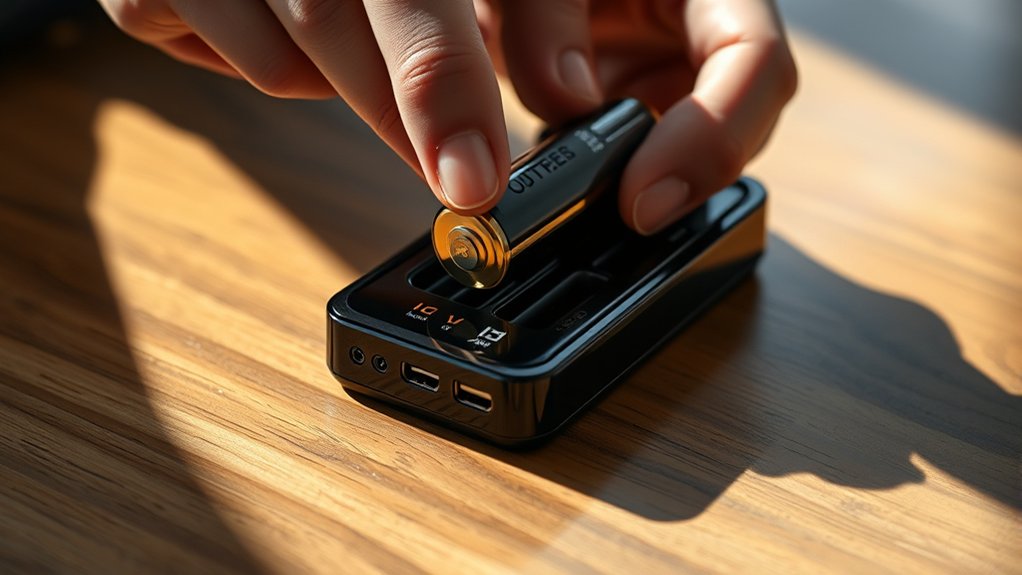
How to Read a Battery Charger
You’ll want to interpret your battery charger’s LED indicators carefully to understand the charging process. Solid green means the battery is fully charged, while a blinking red light signals an error.
Pay attention to symbols like the lightning bolt, which indicates active charging, and battery icons that show capacity. Monitoring voltage and current on the display helps track progress and avoid overcharging.
Adjust settings and modes to match your battery type by using buttons to control current. Safety features are important to prevent faults. Understanding these basics sets the stage for mastering charger operation and troubleshooting effectively.
How To Identify Battery Charger Indicators And Lights
How do you quickly determine the status of your battery charger? You focus on the charging indicators, which are essential for real-time monitoring. These indicators, commonly LED lights, signal various states such as charging, fully charged, or fault conditions.
Understanding these lights helps you avoid overcharging or damaging the battery. For instance, a solid green light typically means a full charge, while a blinking red light may indicate an error or unsafe condition.
Always follow safety guidelines when interpreting these indicators; improper handling can lead to battery degradation or hazards. By familiarizing yourself with the specific patterns and colors of your charger’s indicators, you ensure efficient, safe operation and extend battery life without guesswork or unnecessary risk.
Reading Battery Charger Symbols
Numerous symbols appear on battery chargers to convey critical information about their operation and status. When reading battery charger symbols, you must understand their connection to charging fundamentals, like voltage levels, current flow, and charge stages.
For example, a lightning bolt symbol typically indicates active charging, while a battery icon with segments shows charge capacity. Safety considerations are equally essential; symbols such as a warning triangle or a crossed-out flame alert you to potential hazards like overheating or explosive gases.
Recognizing these symbols helps you monitor charging progress and prevent misuse. By analyzing each symbol in relation to the charger’s specifications, you ensure proper operation and protect both the battery and yourself from damage or injury during the charging process.
How To Interpret Battery Charger Displays And Readouts
When you examine a battery charger’s display, what specific data should you focus on to accurately assess the charging process? Prioritize the voltage and current readouts, as they indicate the charger’s output relative to the battery’s requirements. Monitoring these values ensures optimal battery care by preventing overcharging or undercharging.
Additionally, observe the charge status indicators, such as “charging,” “full,” or “error,” to confirm the operation’s progression and detect faults promptly. Some displays also show temperature readings; these are critical for adhering to safety protocols, as excessive heat can compromise battery integrity.
Using Battery Charger Settings And Modes
You need to understand the specific modes your charger offers to optimize battery performance and safety. Selecting the correct settings depends on battery type, voltage, and charging requirements. Additionally, interpreting indicator lights accurately helps you monitor the charging process and detect potential issues.
Understanding Charger Modes
How do different charger modes affect the charging process and battery health? Charger modes regulate voltage and current delivery tailored to specific battery types, directly influencing longevity and efficiency.
Understanding these modes helps you avoid common charging myths, such as the need to fully drain batteries before recharging, which can harm battery life. Safety considerations are paramount; proper modes prevent overheating or overcharging, reducing risks like swelling or leakage.
For example, trickle mode maintains a safe, low current for maintenance charging, while fast charge mode delivers higher current but requires precise control to avoid damage. By selecting modes aligned with your battery type and following maintenance tips like monitoring temperature, you ensure optimal performance and extend battery service life effectively.
Selecting Appropriate Settings
Why does selecting the correct charger settings matter? Choosing appropriate settings ensures optimal battery safety and maximizes energy efficiency. Incorrect modes or current levels can overheat or undercharge the battery, reducing its lifespan.
You need to match the charger’s output to your battery type and capacity carefully.
| Setting | Battery Type | Efficiency Impact |
|---|---|---|
| Low Current | Small/Lead-Acid | Prevents overheating, saves energy |
| Medium Current | Medium/Lithium-Ion | Balances charge speed and safety |
| High Current | Large/Lithium-Polymer | Fast charging with careful monitoring |
Selecting proper modes and current settings reduces risk and optimizes power consumption, preserving battery health while maintaining energy-efficient operation.
Interpreting Indicator Lights
Several indicator lights on a battery charger provide critical real-time feedback about the charging process, enabling you to monitor status and detect potential issues quickly. When interpreting these lights, you’ll see distinct colors or blinking patterns that correspond to charging phases such as initialization, active charging, and full charge.
Green often signals completion, while red or amber may indicate faults or battery safety concerns like overheating or short circuits. Some chargers include a flashing pattern to denote ongoing durability testing, ensuring battery integrity before full charge.
Using Battery Charger Buttons And Controls
You’ll find that each button on your battery charger serves a specific function, allowing you to navigate settings efficiently. Use these controls to select the appropriate charge mode based on your battery type and condition. Additionally, you can adjust parameters like current and voltage to optimize the charging process.
Button Functions Overview
How do the buttons on a battery charger control its operation and functionality? Each button directly influences charging parameters and safety protocols.
For example, the power button initiates or halts the charge cycle, ensuring you maintain control over battery safety by preventing overcharging. Other buttons adjust settings like current levels, which optimize power efficiency by matching the charge rate to the battery’s specifications.
You’ll also find buttons for activating error checks or diagnostics, helping you identify faults early and protect the battery’s lifespan. By understanding these controls, you can precisely manage the charger’s operation, balancing maximum efficiency with essential safety measures.
Mastering button functions allows you to tailor charging processes effectively, safeguarding both your batteries and the charger’s performance.
Selecting Charge Modes
Charge modes determine the specific parameters your battery charger applies during the charging process, directly impacting efficiency and battery health. When selecting charge modes via the charger’s buttons, you must consider the battery type, voltage, and capacity.
Each mode adjusts current, voltage thresholds, and charging duration to optimize performance and prevent overcharging. Using the correct mode ensures charging safety by minimizing risks like overheating or damage, which can void your battery’s warranty.
Incorrect mode selection may accelerate battery degradation, leading to warranty implications or costly replacements. Always consult your battery’s specifications and the charger’s manual before choosing a mode.
Adjusting Charging Settings
Where exactly do you start when adjusting your battery charger’s settings? Begin by powering on the device and locating the control panel, which typically features buttons or a dial for mode selection. Use these controls to set the appropriate charge current and voltage, matching your battery’s specifications to ensure battery safety.
Pay attention to indicators that confirm the charger is in the correct mode, especially when switching to renewable charging options, which optimize energy input from sustainable sources. Adjusting settings precisely helps prevent overcharging or overheating, extending battery life.
Always consult your charger’s manual to understand button functions and safety lock features, which prevent accidental changes during operation. By carefully managing these controls, you maintain efficient, safe charging tailored to your battery’s needs.
Troubleshooting Common Battery Charger Issues
Why isn’t your battery charger working as expected? Troubleshooting common issues requires a systematic approach to ensure battery safety and maintain energy efficiency. Begin by verifying connections and inspecting cables for damage.
Faulty wiring can interrupt current flow, compromising performance. Next, check the charger’s input voltage to confirm compatibility with your power source. Overvoltage or undervoltage conditions reduce efficiency and risk battery harm.
Also, assess the charger’s settings; incorrect modes may prevent proper charging cycles. Lastly, evaluate the battery itself. Aging or defective cells can mimic charger failure.
- Inspect cable integrity and secure connections
- Confirm input voltage matches charger specifications
- Verify charging mode and settings for your battery type
- Test battery condition to rule out cell degradation
This method ensures precise identification of issues while upholding safety and efficiency.
Frequently Asked Questions
How Do I Choose the Right Charger for My Battery Type?
You should select a charger with battery compatibility matching your battery’s chemistry and voltage. Check charging indicators to confirm proper function.
Avoid chargers lacking specific settings for your battery type to ensure efficient, safe charging performance.
Can I Leave My Battery Connected to the Charger Overnight?
Like Pandora’s box, leaving your battery connected overnight can be risky unless your charger has automatic shutoff. For battery safety, use a smart charger that prevents overcharging and protects your battery’s lifespan effectively.
What Safety Precautions Should I Take When Charging Batteries?
You should wear safety gear like gloves and goggles, ensure proper ventilation, and monitor ambient conditions to prevent overheating or gas buildup.
Avoid charging near flammable materials and never leave the battery unattended during charging.
How Long Does It Typically Take to Fully Charge a Battery?
How long it takes depends on battery types and charging speed; typically, it ranges from 1 to 8 hours.
Prioritize safety by monitoring temperature and avoiding overcharging to preserve battery life and prevent hazards.
Are All Battery Chargers Compatible With Electric Vehicles?
Picture plugging in your car at a sleek station. No, not all chargers fit every EV.
Charging standards vary, so you must check vehicle compatibility precisely to ensure efficient, safe power transfer without damaging your battery system.