How Can I Get the Code for My Honda Radio
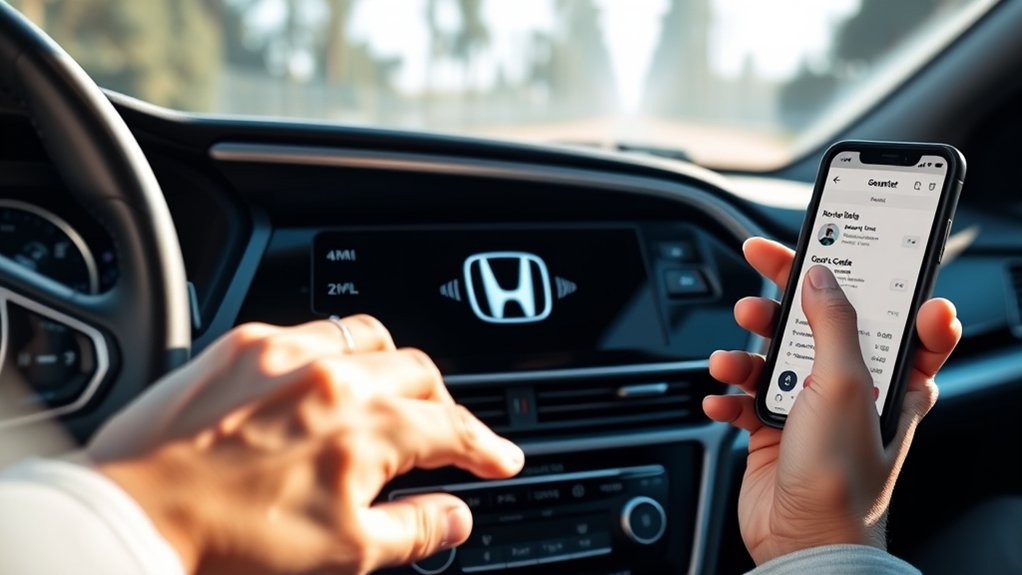
You can get your Honda radio code by first checking your owner’s manual, purchase documents, or a sticker inside the glove compartment or trunk. This code is essential for unlocking your radio after a battery replacement or disconnection.
If you don’t find the code in these places, contact a Honda dealer with your vehicle’s VIN and proof of ownership—they can retrieve the code quickly. You can also use official online tools with your VIN and radio serial number for prompt access.
Keep your code secure to avoid lockouts. Explore below for detailed methods and troubleshooting tips to help you access your Honda radio code easily.
Key Takeaways
- Locate the radio code in the owner’s manual, purchase documents, or a sticker inside the glove compartment or trunk.
- Use your vehicle’s VIN to contact a Honda dealer who can retrieve the code after verifying ownership.
- Access official Honda websites by entering your VIN and radio serial number to generate the radio code securely.
- If the code is lost, request dealer assistance with proof of ownership and VIN to obtain or reset the code.
- Always record and store the radio code securely to prevent future lockouts after battery disconnection.
Why Does My Honda Radio Ask for a Security Code?
Why does your Honda radio ask for a security code? This feature acts as an anti-theft mechanism designed to protect your radio from unauthorized use. When power to the radio is interrupted, due to battery disconnection or removal, the system requires a security code to reactivate.
This prevents stolen radios from functioning in other vehicles, deterring theft. It’s important to stay focused on this core issue since unrelated topics, like general vehicle security or off-topic ideas about entertainment systems, don’t address why the code entry is necessary.
Understanding the purpose of the security code ensures you approach the problem correctly without confusion. It’s not just a nuisance; it’s a deliberate protective measure embedded within your Honda’s radio system to safeguard your property.
Finding the Original Honda Radio Code
Where can you locate the original Honda radio code when your system requests it? Typically, you’ll find this code in your vehicle’s owner’s manual or on a card included with the documents at purchase.
The original Honda radio code is usually found in your owner’s manual or on a card with your purchase documents.
Check for a sticker or label inside the glove compartment or trunk, which often contains the code. Avoid searching unrelated topic forums or accidental topics that may mislead you; these sources rarely provide accurate information.
If you’ve misplaced physical copies, do not rely on random internet searches that mix unrelated or accidental topics, as they can waste time and risk security. Focus strictly on official Honda documentation or contact your authorized dealer directly.
This ensures you retrieve the genuine radio code tied to your car’s serial number, maintaining system integrity.
How to Use Your VIN to Retrieve the Honda Radio Code
How can you efficiently retrieve your Honda radio code using your Vehicle Identification Number (VIN)? First, locate your VIN on your vehicle registration or the driver’s side dashboard. Then, contact your Honda dealer or authorized service center with this number.
They’ll use the VIN to access your radio code quickly, avoiding the need for a coffee mug full of patience. This method is especially handy after a road trip when your radio prompts for the code due to battery disconnection or replacement.
| Step | Action | Notes |
|---|---|---|
| 1 | Find VIN on dashboard/registration | Essential for lookup |
| 2 | Contact Honda dealer/service | Provide VIN and ID |
| 3 | Request radio code retrieval | Use VIN for accuracy |
| 4 | Receive code and enter | Resume radio use |
How to Retrieve Your Honda Radio Code Online
If contacting a Honda dealer isn’t convenient, you can retrieve your radio code online using your VIN and radio serial number. Start by visiting the official Honda website or authorized third-party services that specialize in radio code retrieval.
Enter your VIN and serial number precisely; these identifiers allow the system to generate your unique code. Avoid sites that introduce unrelated topics or random ideas unrelated to radio codes, as they may be unreliable or fraudulent.
Ensure you use secure, reputable platforms to protect your vehicle information. After submission, the system will provide your radio code promptly, enabling you to unlock your radio.
This process streamlines recovery without dealer visits, saving time and effort while maintaining accuracy and security.
Can’t Find Your Honda Radio Code? Here’s What to Do
Struggling to locate your Honda radio code? Don’t worry; there are precise steps you can take. First, check your vehicle’s glove compartment or manual. Manufacturers sometimes include the code there.
If you can’t find your Honda radio code, start by checking the glove compartment or vehicle manual.
Second, contact a Honda dealership with your VIN and proof of ownership. They can retrieve the code using their database.
Third, explore online forums or apps where users share methods to decode radios, but beware of scams.
Fourth, consider the impact of external factors like weather patterns or urban planning disruptions that might delay dealership responses or access to records.
Following these steps ensures you’ll regain access efficiently without risking system lockout or damage. Stay methodical and use verified sources to avoid complications in this technical process.
How to Reset Your Honda Radio After Entering the Code
First, make sure your Honda radio is powered on and ready for input. Then, carefully enter the security code using the preset buttons. Finally, confirm the reset by pressing the appropriate button to restore full radio functionality.
Preparing Your Radio
Once you enter the correct code, you’ll need to reset your Honda radio to restore full functionality. Preparing your radio involves a precise sequence to ensure the system recognizes the input and resumes normal operation. Follow these steps:
- Turn the ignition key to the ON position without starting the engine.
- Press and hold the power button for about 10 seconds until the display clears.
- Release the button, then press it again briefly to turn the radio back on.
- Verify the radio powers up without the security lock screen.
This reset process is as critical as aligning solar panels for optimal energy capture or calibrating kitchen mixers for consistent performance. Proper preparation prevents lockouts and ensures your radio operates smoothly after code entry.
Entering The Security Code
How do you enter the security code to reset your Honda radio effectively? First, power on your radio; the display will show “CODE” or “ENTER CODE.” Use the preset buttons to input the security code precisely; each button corresponds to a digit.
Press and hold the “AM/FM” or “SCAN” button after entering the last digit to confirm. The radio design may vary slightly by model, but this method applies broadly. Once accepted, the radio unlocks, allowing access to all features including your saved music playlists.
Avoid incorrect attempts, as multiple failures can lock the system temporarily. Enter the code carefully, respecting the radio’s input timing to ensure successful reset. This process restores normal function without affecting your music playlists.
Confirming The Reset Process
Where do you go after entering the correct security code? You need to confirm the reset process to reactivate your Honda radio. Avoid irrelevant topics or stray ideas that don’t directly contribute to this step. Follow these precise actions:
- Press the “Enter” or “OK” button immediately after inputting the code.
- Wait for the radio display to revert from the code input screen to the normal radio interface.
- Check for audio output by tuning to a radio station or playing a CD.
- If the radio remains locked or shows an error, re-enter the code carefully or repeat the process.
Confirming the reset process ensures your radio is functional and secure, eliminating confusion from irrelevant topics or stray ideas that may complicate troubleshooting.
How to Avoid Getting Locked Out of Your Honda Radio
To prevent getting locked out of your Honda radio, store the security code in a secure location and record it immediately after obtaining it. Avoid disconnecting the car battery unnecessarily, as this can trigger the radio’s security lock. Taking these steps ensures uninterrupted radio access and saves you from complicated reset procedures.
Store Code Securely
Why should you prioritize storing your Honda radio code securely? Proper code security prevents lockouts and ensures uninterrupted radio access. Implement these two word discussion ideas to maintain control over your code:
- Digital Backup: Save the code in a secure digital note or encrypted file.
- Physical Record: Write the code on a durable card stored in your vehicle’s glove compartment or personal safe.
- Access Restriction: Limit who can view or use the code to trusted individuals only.
- Regular Review: Periodically verify your stored code’s location and condition to avoid loss or damage.
Record Code Immediately
How quickly you record your Honda radio code directly impacts your ability to regain access after a power loss or battery replacement. Immediate documentation prevents lockouts and streamlines the reset process.
Use a dedicated notebook or secure digital file to note the code as soon as you retrieve it from your vehicle manual, dealership, or online source. Avoid relying solely on memory or temporary storage methods.
Incorporate systematic ideas about Subtopic by labeling the code entry clearly and cross-referencing with your vehicle identification number for easy retrieval. These ideas about Subtopic ensure you have precise, accessible information when needed.
Prompt, accurate recording eliminates downtime and unnecessary trips to the dealer, preserving your radio’s functionality without interruption. Don’t delay, record your code immediately to avoid complications.
Avoid Battery Disconnect
When should you disconnect your Honda’s battery to avoid triggering the radio lock? Ideally, only disconnect the battery when absolutely necessary, such as during major repairs.
To maintain battery safety and prevent radio lockout, follow these steps:
- Turn off the ignition and remove the key before disconnecting the battery.
- Adjust screen brightness and audio settings beforehand to avoid unexpected resets.
- Use a memory saver device or connect a 12V auxiliary power source to maintain power during the disconnect.
- Record your radio code and keep it accessible to quickly restore functionality if the lock activates.
When to Contact a Honda Dealer for Help With Your Radio Code
If you’ve exhausted standard methods to retrieve your Honda radio code without success, it’s time to contact a Honda dealer for assistance. Dealers have access to your vehicle’s specific radio code through its VIN and can verify ownership before providing the code. This step is essential if you lost your original code card or manual.
Additionally, if your vehicle recently underwent engine maintenance or was connected to roadside assistance services that involved battery disconnection, the radio may have locked, requiring dealer input to reset. Contacting a dealer ensures you receive the correct code without risking permanent radio lockout.
Prepare your vehicle identification number and proof of ownership to expedite the process and regain radio functionality efficiently and securely.
Frequently Asked Questions
Can I Use a Universal Code for All Honda Radios?
You can’t use universal codes for all Honda radios because each has a unique security system.
Honda’s radio theft deterrent requires your specific code, ensuring only your radio unlocks after power loss or disconnection.
Does Entering the Wrong Code Damage the Radio?
Entering the wrong code won’t physically damage your Honda radio, but repeated attempts trigger radio lockouts and faulty display warnings.
These safety warnings temporarily disable input, preventing unauthorized access and protecting your radio’s security system.
How Do I Remove the Radio for Repair or Replacement?
You’ll follow the removal procedure by disconnecting the battery, removing trim panels, and unscrewing mounting bolts carefully. Guarantee the radio’s repair compatibility before replacement to avoid issues with wiring harnesses or connectors during installation.
Is There a Mobile App to Store My Honda Radio Code?
Don’t let your radio code slip through the cracks like sand. There’s no official Honda app for code recovery, but app alternatives like secure password managers can safely store your radio code for quick, precise access when needed.
Can a Third-Party Mechanic Retrieve My Honda Radio Code?
Yes, a third-party mechanic can retrieve your Honda radio code, but it’s unrelated topic to budgeting tips. Ensure they have proper tools and access to Honda databases to avoid errors or unnecessary costs during the retrieval process.
Conclusion
Just like cracking a safe, getting your Honda radio code may seem tricky, but it’s straightforward with the right steps. Use your VIN or online resources to retrieve the code, and avoid lockouts by keeping it handy.
If all else fails, don’t hesitate to contact your dealer—they’re your last line of defense. With these precise actions, you’ll have your radio playing again in no time, no secret agent skills required.
By following these steps, you’ll easily get the code for your Honda radio and enjoy your music without interruption.