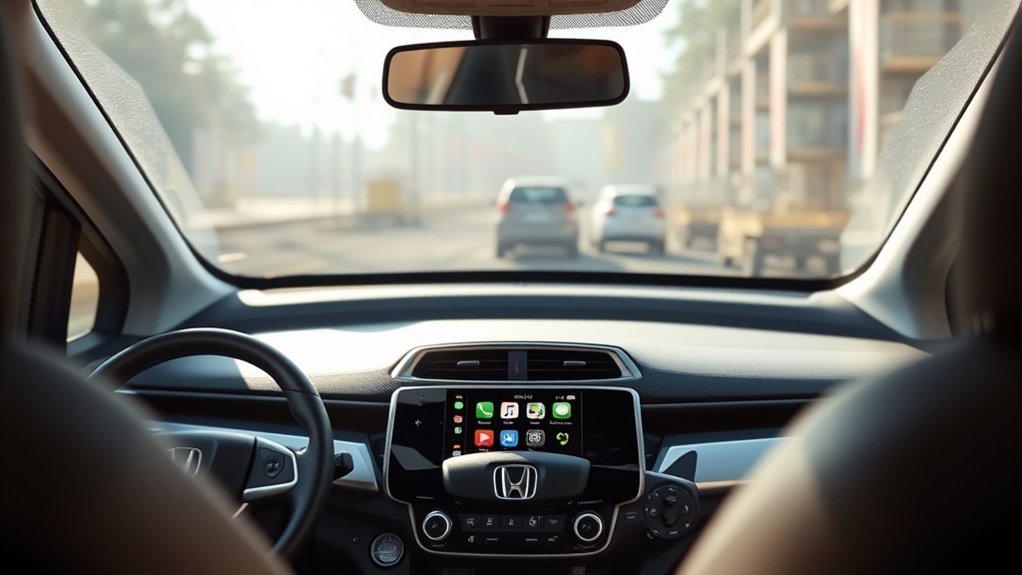
Does Crv Have Apple Carplay Standard
Yes, the Honda CR-V comes with Apple CarPlay as a standard feature on most models from the EX trim and above. The base LX trim typically doesn’t include Apple CarPlay or offers it as an option in some years.
Newer CR-Vs generally support wireless Apple CarPlay along with enhanced connectivity and wireless charging on higher trims. If you’re considering your options, understanding how Apple CarPlay varies by model year and trim can help you find the best fit for seamless smartphone integration.
Key Takeaways
- Apple CarPlay is standard on CR-V trims EX, EX-L, and Touring across most recent model years.
- The base LX trim typically does not include CarPlay as a standard feature.
- Wireless CarPlay became widely available on CR-V models from 2018 onward, especially on higher trims.
- Newer CR-V models (2022 and newer) feature wireless CarPlay as the standard connection method.
- CarPlay availability depends on trim and model year, with higher trims more likely to have it standard.
Which Honda CR-V Models Include Apple CarPlay Standard?
Which Honda CR-V models come with Apple CarPlay as a standard feature? Starting with the 2017 model year, most CR-V trims include Apple CarPlay as a standard offering, enhancing your connectivity on the go. This means if you’re looking at newer models, you’ll likely have this feature right out of the gate.
Beyond tech, the CR-V impresses with its fuel economy, offering efficient mileage that makes daily commuting and road trips more affordable. Additionally, the CR-V cargo space provides ample room for your gear, groceries, or luggage, making it a versatile choice for various lifestyles.
When choosing a CR-V, knowing that Apple CarPlay is standard on many models helps you stay connected without sacrificing practicality or efficiency.
Apple CarPlay Availability by CR-V Trim Level
You’ll find Apple CarPlay comes standard on several CR-V trim levels, making it easier to stay connected on the road. However, availability can vary depending on the specific trim you choose. Understanding which trims include CarPlay helps you pick the right CR-V for your tech needs.
Standard CarPlay Trim Levels
How does Apple CarPlay integration vary across the CR-V trim levels? You’ll find that this feature is standard on select trims, enhancing connectivity without compromising the CR-V’s practical appeal, such as its ample cargo space and novel charging options.
Here’s a quick breakdown:
- LX Trim: Apple CarPlay is not standard but available as an option.
- EX Trim: Comes with Apple CarPlay standard, along with improved interior features.
- EX-L Trim: Includes standard Apple CarPlay plus leather-trimmed seating and advanced tech.
- Touring Trim: Offers Apple CarPlay standard, plus premium audio and innovative charging solutions.
This setup ensures you enjoy seamless smartphone integration, regardless of your chosen trim, while retaining the CR-V’s functional design.
CarPlay Availability Differences
While the previous overview highlighted where Apple CarPlay comes standard across CR-V trims, understanding the specific availability nuances can help you make a more informed choice. The base LX trim typically doesn’t include CarPlay, requiring an upgrade to the EX trim or higher to access this feature.
As you move up to the EX, EX-L, and Touring trims, Apple CarPlay comes standard, enhancing your driving experience with seamless smartphone integration. This variability means you should consider not only technology but also factors like car maintenance and fuel efficiency when selecting a trim.
Higher trims may offer added tech but sometimes affect fuel efficiency slightly. Balancing these elements ensures you pick a CR-V that suits your lifestyle without sacrificing essential features or performance.
Tech Features That Come With Apple Carplay in the CR-V
When you connect your iPhone to the CR-V’s Apple CarPlay, you get seamless integration with your vehicle’s infotainment system, allowing easy access to apps, music, and navigation. You can control many functions hands-free using Siri voice commands, which helps keep your focus on the road. These tech features combine convenience and safety, enhancing your driving experience.
Connectivity And Integration
Seamless connectivity defines the Apple CarPlay experience in the CR-V, allowing you to integrate your iPhone effortlessly with the vehicle’s infotainment system. This integration enhances your driving by syncing essential apps with the CR-V’s controls, complementing features like adaptive cruise control and lane departure warnings without distraction.
Here’s what you get:
- Real-time navigation with Apple Maps, updated traffic info, and lane guidance.
- Hands-free calls and messages, keeping you focused on the road.
- Access to music, podcasts, and audiobooks through apps like Apple Music and Spotify.
- Compatibility with third-party apps designed for safe driving integration.
This setup ensures your digital life merges smoothly with the CR-V’s tech, elevating both convenience and safety.
Voice Control Features
Building on the connectivity features that keep your iPhone synced with the CR-V’s system, Apple CarPlay also offers advanced voice control capabilities to enhance your driving experience. You can use Siri to manage calls, send texts, and control music without taking your hands off the wheel.
This integration extends to navigation, allowing you to set destinations or check traffic through voice commands. While Apple CarPlay itself doesn’t control vehicle functions like cruise control, it complements the CR-V’s existing tech by keeping your focus on the road.
Additionally, wireless charging ensures your phone stays powered without cables, supporting uninterrupted voice commands. Together, these features create a seamless, hands-free environment that prioritizes safety and convenience as you drive.
Benefits of Apple CarPlay in the CR-V
How does Apple CarPlay enhance your driving experience in the CR-V? It seamlessly integrates your iPhone with the vehicle’s infotainment system, making irrelevant topics or unrelated ideas less distracting. You stay connected while keeping your focus on the road.
Here are four key benefits:
- Hands-Free Control: Use voice commands for navigation, calls, and messages, reducing distractions.
- Familiar Interface: Access apps like Maps, Music, and Podcasts through a user-friendly display.
- Real-Time Navigation: Get live traffic updates and rerouting directly on your dashboard.
- Enhanced Safety: Minimize physical interaction with your phone, promoting safer driving habits.
These features combine to make your CR-V drive more efficient, enjoyable, and secure without introducing unrelated ideas or irrelevant topic shifts.
Connecting Your iPhone to Apple CarPlay
To enjoy the full benefits of Apple CarPlay in your CR-V, you’ll need to connect your iPhone to the vehicle’s infotainment system. Start by using a certified Lightning cable to plug your iPhone into the USB port, typically located near the center console.
Connect your iPhone to the CR-V’s infotainment system using a certified Lightning cable via the center console USB port.
The CR-V design ensures easy access to this port, making connection straightforward. Once connected, your iPhone screen will automatically mirror onto the infotainment display, allowing you to use apps, navigation, and calls safely while driving.
Some CR-V trims may also support wireless CarPlay, allowing you to pair via Bluetooth and Wi-Fi without cables. Keep in mind that pricing notes indicate wireless capability is often available on higher trims.
Follow on-screen prompts to complete the setup, and you’re ready to go.
Apple CarPlay vs. Android Auto in the Honda CR-V
What sets Apple CarPlay apart from Android Auto in the Honda CR-V? Both systems integrate your smartphone with the vehicle’s infotainment, but their experiences differ. You’ll find these key distinctions:
- User Interface: Apple CarPlay mirrors your iPhone’s interface, offering a familiar layout. Android Auto adapts to various Android devices, presenting a more customizable dashboard.
- App Support: Apple CarPlay supports a wide range of apps optimized for driving, including music, navigation, and messaging. Android Auto offers similar app compatibility, but with broader device support.
- Voice Control: Siri powers Apple CarPlay, providing seamless voice commands, while Google Assistant drives Android Auto’s voice features.
- Headphones Audio: Both support audio playback through the CR-V’s system, ensuring clear headphones audio without latency.
Choosing between them depends on your smartphone ecosystem and preferred features.
Apple CarPlay in Older vs. Newer CR-V Models
While Apple CarPlay offers a consistent experience across devices, its availability and functionality can vary depending on the model year of your Honda CR-V. Older CR-V models, typically before 2017, often feature limited connectivity options. They require a wired connection for CarPlay and lack wireless charging.
Newer models, from 2018 onward, usually support wireless Apple CarPlay and include wireless charging pads, enhancing convenience.
| Model Year | Apple CarPlay Type | Additional Features |
|---|---|---|
| Before 2017 | Wired only | Limited connectivity |
| 2018 – 2021 | Wired & Wireless | Wireless charging included |
| 2022 and newer | Wireless standard | Enhanced connectivity, wireless charging |
Understanding these differences helps you choose the right CR-V for seamless smartphone integration.
Tips for Choosing a CR-V With the Best Smartphone Integration
How can you ensure your next Honda CR-V offers the best smartphone integration? Focus on key features that enhance CR-V compatibility and ease of use.
- Check model year: Newer CR-Vs typically support wireless pairing and updated Apple CarPlay versions.
- Confirm wireless capabilities: Verify the infotainment system supports wireless Apple CarPlay for seamless connectivity.
- Evaluate infotainment size and responsiveness: Larger, more responsive touchscreens improve interaction with smartphone apps.
- Review software updates: Ensure the vehicle allows regular software updates to maintain compatibility with evolving smartphone technologies.
Frequently Asked Questions
Does Apple Carplay Affect Cr-V’s Fuel Efficiency?
You won’t notice any significant impact on your CR-V’s fuel efficiency using Apple CarPlay. Despite CarPlay limitations like increased screen use, it doesn’t affect engine performance or fuel consumption during your drives.
Can Apple Carplay Be Used With a CR-V Roof Box?
Coincidentally, using Apple CarPlay with a CR-V roof box is seamless since the roof box doesn’t interfere with connectivity. Your CR-V roof box compatibility stays intact, and the Apple CarPlay setup works just as smoothly inside the cabin.
Is Apple Carplay Available in CR-V Hybrid Models?
Yes, Apple CarPlay is available in CR-V hybrid models. For discussion ideas1 and discussion ideas2, you’ll find it integrates seamlessly, enhancing your driving experience with easy access to apps, navigation, and hands-free communication.
Does Apple Carplay Require a Data Plan in the CR-V?
You don’t need a data plan for Apple CarPlay feasibility in the CR-V itself, as it mirrors your phone’s interface. However, your phone’s cellular data is necessary for apps requiring internet access while using CarPlay.
Can Passengers Control Apple Carplay in the CR-V?
You might think passengers can’t use Apple CarPlay, but they actually can. Passengers control vehicle connectivity through the infotainment screen, allowing them to access apps, navigation, and music without disrupting the driver’s experience or safety.
Conclusion
So, does the CR-V have Apple CarPlay standard? It depends on the model and trim level you choose. Newer CR-Vs typically include Apple CarPlay as a standard feature, enhancing your driving experience with seamless smartphone integration.
Why settle for less when you can enjoy easy access to navigation, music, and calls hands-free? Understanding which trims offer this tech helps you pick the best CR-V for your connected lifestyle.
In conclusion, whether the CR-V has Apple CarPlay standard varies, so checking the specific model and trim is essential to ensure you get this convenient feature.